
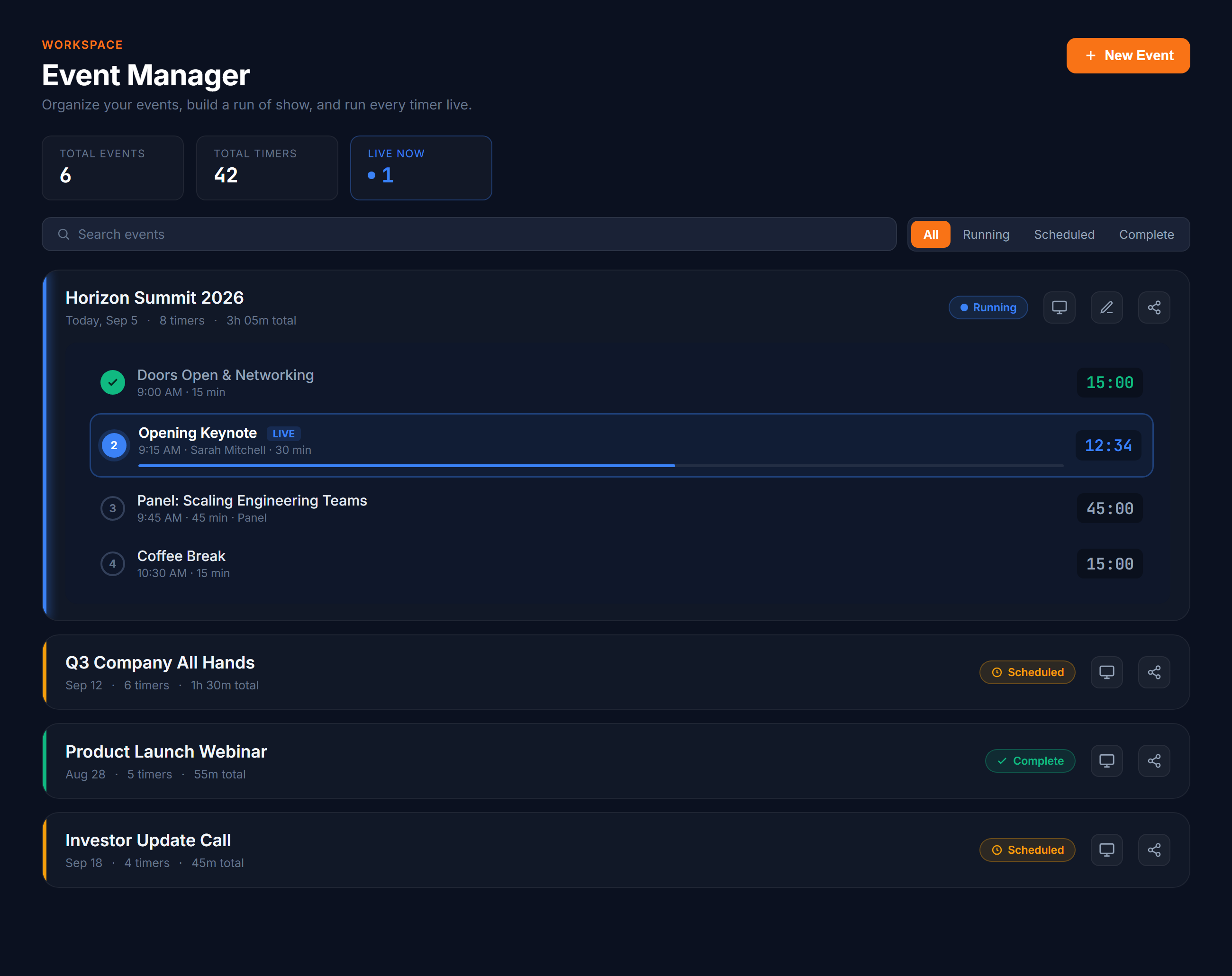
Your workspace: events, timers, and live controls in one place
How it works
Three steps to your first event
Create an event
Give your event a name, pick a date, and add an optional description. Your workspace is ready in seconds.
Add your timers
Add countdown or count up timers for each session. Label them by room, stage, or track so every segment and space is accounted for.
Share and go live
Generate a link and share it with your audience. Everyone sees the live countdown on any device, no app required.
See it in action
One workspace, every screen
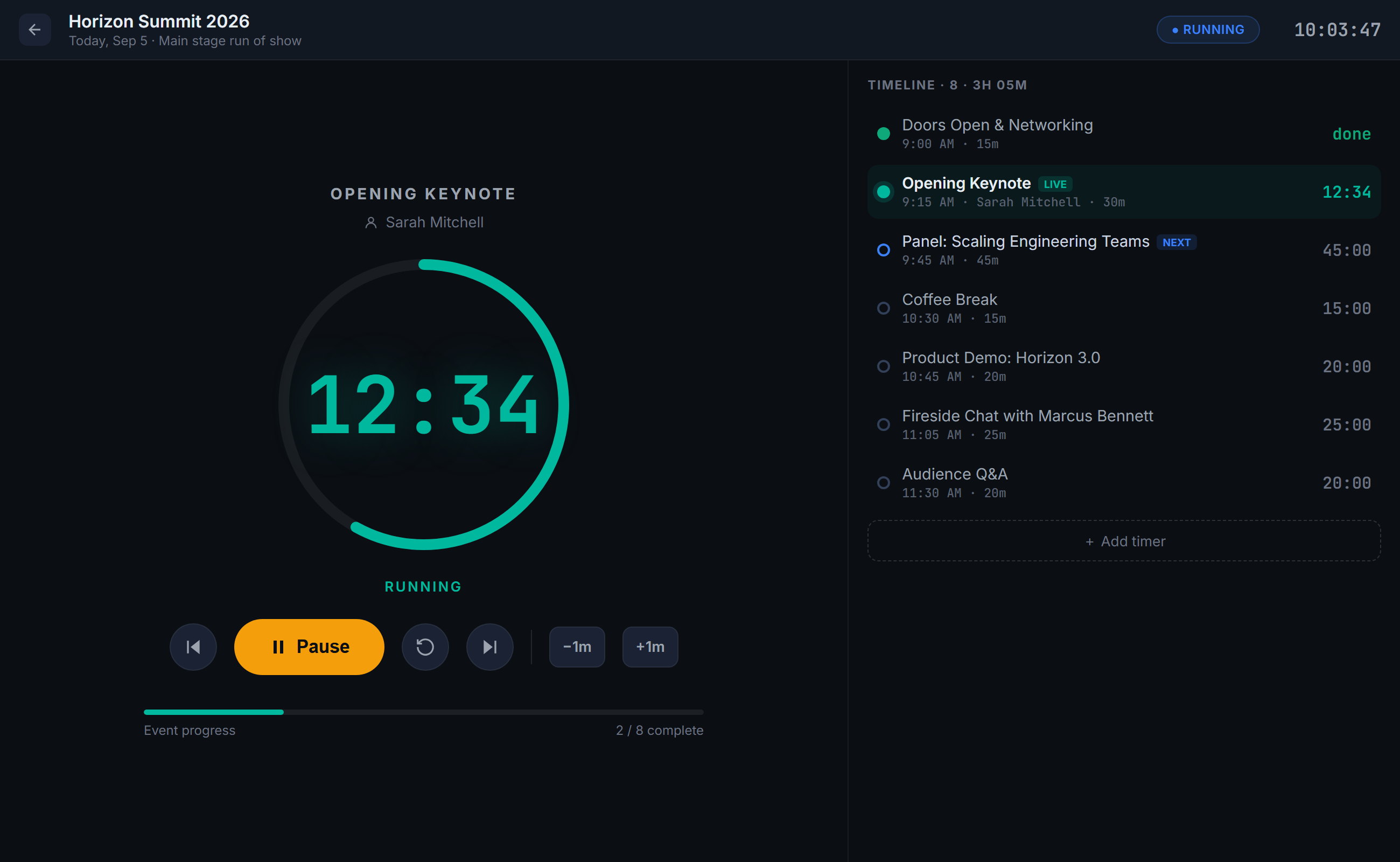
Run the show from one control room
A live control room for the whole run of show. Start, pause, and jump between segments, add or trim a minute on the fly, and watch the timeline and every shared screen stay in sync.
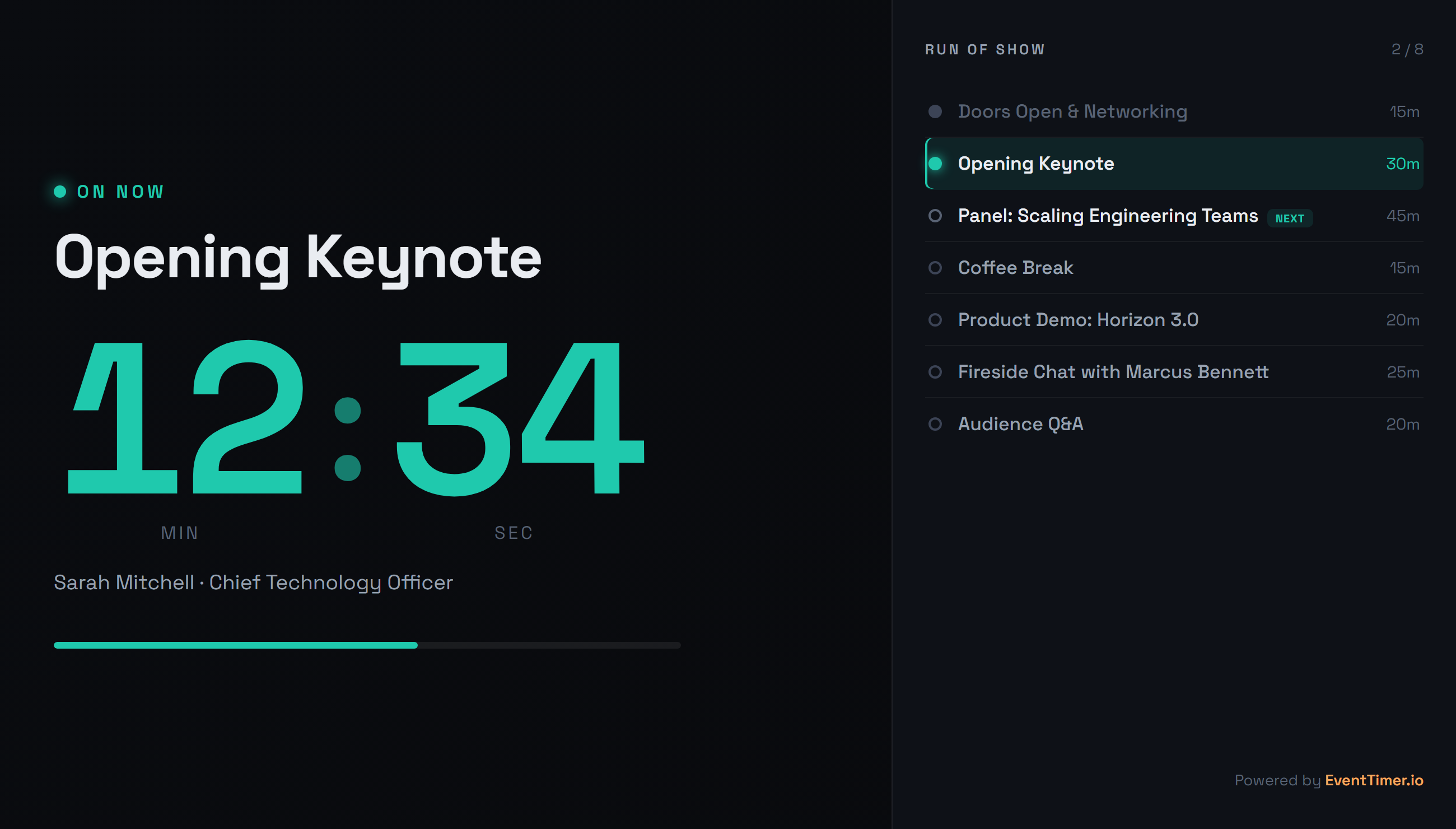
Put a live countdown on the big screen
Share one link and the room sees a clean, full screen countdown with the run of show beside it. Built for stage displays, projectors, and lobby screens, with no app to install.
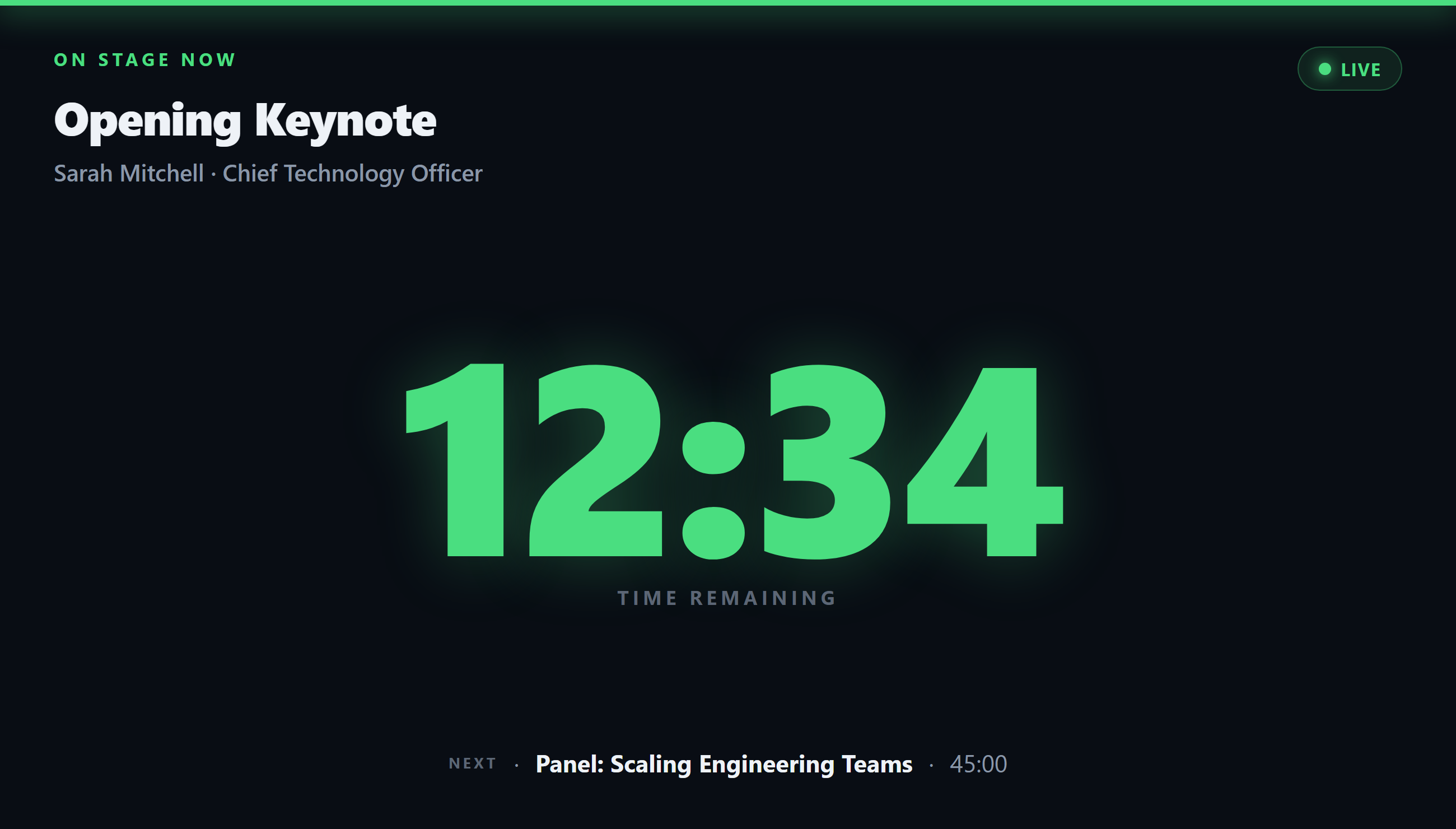
Keep your speaker on time
A calm confidence monitor for the person on stage: time remaining in big, color coded digits that shift to amber and red as it runs low, what is coming next, and quiet cues from your operator.
What you get
Everything you need to run events on time
Multiple timers per event
Group countdown and count up timers under one event. Organize by room, stage, or track and label each timer so your multi-room schedule is clear at a glance.
Shareable live links
Generate a link and send it to presenters, team members, or your entire audience. Everyone sees the same live countdown.
Instant sync across screens
Start, pause, or reset a timer and every connected device updates immediately. No refresh needed.
Fullscreen for projectors
Switch to fullscreen and the timer fills the screen with clean, readable digits. Designed for stage displays and conference rooms.
Event scheduling
Add dates, descriptions, and structure to each event. Keep your timeline organized before, during, and after the day.
Export and import
Back up your events as CSV files. Import them on another account or share templates with your team.
Built for
From stage talks to team standups
Conferences and speaker sessions
Create one event for the whole conference and add timers for every room and stage. Keep every speaker on schedule and switch between segments with one click.
Classrooms and exam timing
Project a visible timer for the whole room. Students see exactly how much time remains for tests, activities, and transitions.
Workouts and interval training
Set up timed intervals for circuits, HIIT sessions, and team drills. Go fullscreen on a gym display and let the timer run.
Remote teams and virtual events
Share one link and everyone on the call sees the same countdown. Keeps distributed teams aligned without extra tools.
Meetings and daily standups
Give every agenda item a fixed window. The visible countdown keeps discussions focused and makes sure the meeting ends on time.
Livestreams and broadcast segments
Time intros, guest spots, and ad breaks with precision. Your production team sees the same clock no matter where they are.
Common questions
What is Event Manager?
Do I need an account?
Can viewers see the timer without signing up?
Does the timer stay in sync across devices?
Can I run multiple timers in one event?
How should I organize a multi-room or multi-track event?
Is it free?
Ready to run your next event on time?
Sign in to create your first event, add timers, and share a live link with your audience. It takes less than a minute.
Free forever · No credit card required